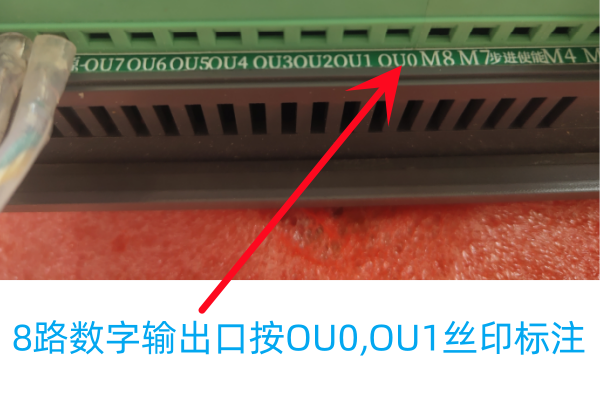
In addition to the standard M3 M4 M7 M8,
the controller features 11 additional outputs to help you control more devices, controlled by standard M62 – M65 M codes,
The terminal silk screen is labeled as O+ port number, such as O1, O2, or AUXOUT

- M62 P- – Turn on digital output synchronized with motion. The P word specifies the digital output number.
- M63 P- – Turn off digital output synchronized with motion. The P word specifies the digital output number.
- M64 P- – Turn on digital output immediately. The P word specifies the digital output number.
- M65 P- – Turn off digital output immediately. The P word specifies the digital output number.
⭐: The P word ranges from 0 to 11.
M62 and M63 commands are queued for execution. The actual change of the specified output will occur at the start of the next motion command. If there is no subsequent motion command, the queued output change will not occur. It is best to always write a motion G code (G0, G1, etc.) immediately after M62/63.
For example, executing the following code:
M62P0
G1G91X100F1000
M63P0
AUX0 will not turn off because there is no motion command following it.
This is the correct way:
M62P0
G1G91X100F1000
M63P0
G1G91Y100F1000
M64 and M65 occur immediately when received by the motion controller. They are not synchronized with motion.
For specific control wiring, please refer to the Output Port Control Relay or Others section.