Note: In the latest firmware version, the control board will not respond to the handwheel within 30 seconds after power-on to prevent accidental operation.
The handwheel interface on this control board uses RS232 single-receive communication, which is different from handwheels available on the market.
Therefore, only handwheels sold in our store are supported.
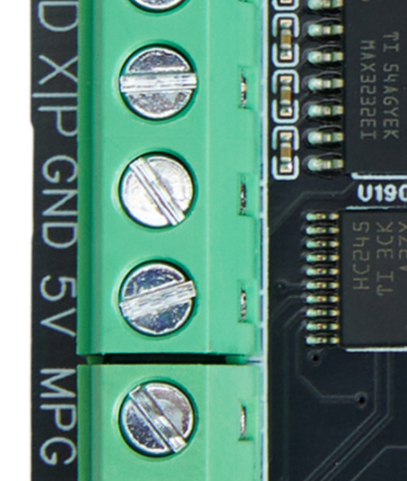
Connect the red wire to the 5V on the control board.
Connect the black wire to the GND on the control board.
Connect the green wire to the MPG interface on the control board.
It is recommended to wire the handwheel with the external 24V power supply turned off, otherwise there is a small chance of damaging the RS232 chip.