If your controller is not displaying in English after startup,
please tap the sixth button at the bottom to enter Settings,
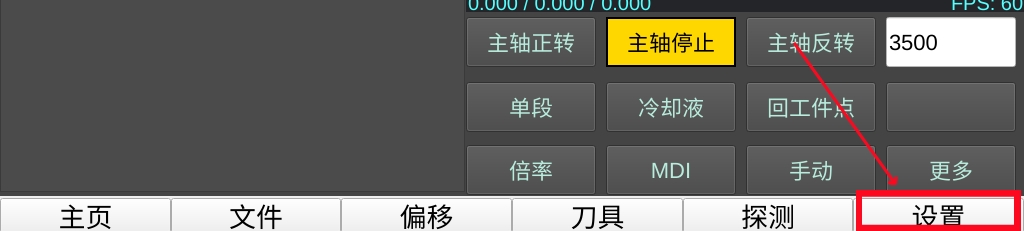
Select “English” from the list, tap “Apply”, then tap “Restart” to complete the process,

Translation Correction #
Currently, based on order country rankings, machine translations have been added for English, Russian, Spanish, and Polish,
Since these are machine translations, we need users from these language countries to help correct the translations,
Generally, some language characters are too long and certain button spaces cannot fully accommodate them. You can email me to reduce the font size,
To make translation corrections, first download the corresponding translation file
English: https://www.bolangsk.cn/bolang/gujian_V1/shangweiji/en.ts
Spanish: https://www.bolangsk.cn/bolang/gujian_V1/shangweiji/es.ts
Polish: https://www.bolangsk.cn/bolang/gujian_V1/shangweiji/pl.ts
Russian: https://www.bolangsk.cn/bolang/gujian_V1/shangweiji/ru.ts
Then download the Linguist translation tool
: https://www.bolangsk.cn/wp-content/uploads/asgarosforum/55/linguist.zip
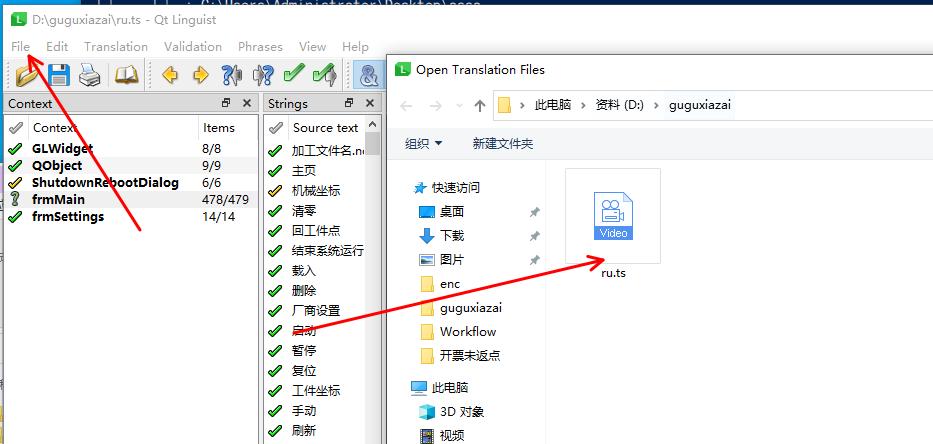
Click File and select the .ts file you want to translate
Select the text you want to translate and enter the translation in the field below,
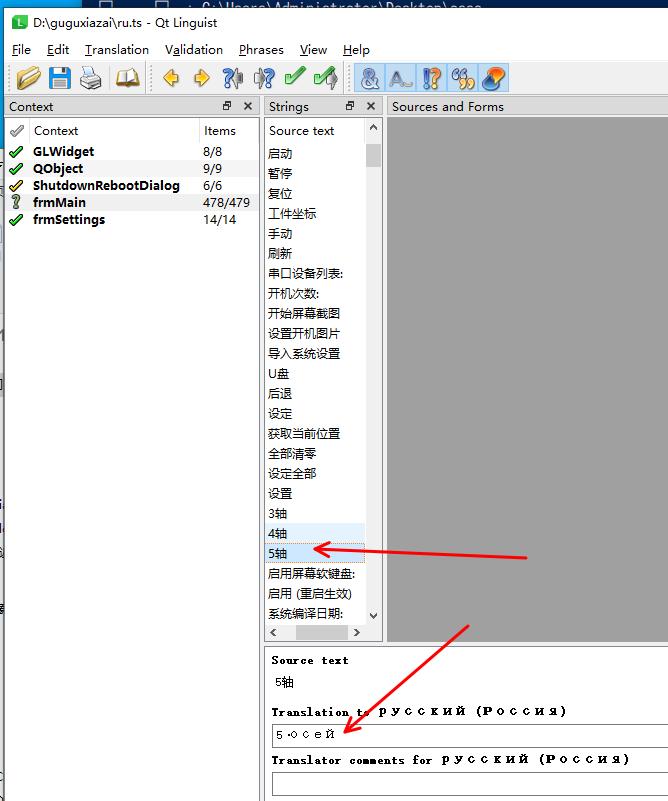
Remember to click Save,
If you want to preview the result, click Release. This will generate a corresponding .qm file in the same directory as the .ts file,
Copy the .qm file to the controller directory: /home/pi/cnc via USB or network transfer,
The system will automatically prioritize using the .qm files in the /home/pi/cnc directory. Simply restart the controller to see the translation effect,
After completing the translation corrections, please send the .ts file to hankecnc@gmail.com. Your work will be merged into the official release, so all users who speak the same language can benefit from your contribution,
If there is no translation for your country and you are willing to help with translation corrections, you can also email me and I will generate a machine translation version for you,


