We provide 2 pre-compiled firmware versions. One uses USB virtual serial port (CDC) for communication with the host computer, and the other uses a standard UART serial port exposed through a GH1.25 connector. You can also refer to the source code section to compile the firmware yourself.
USB Virtual Serial Port (CDC) Firmware: https://www.bolangsk.cn/wp-content/uploads/asgarosforum/54/PI_CNC_USB.uf2
UART Serial Port Firmware: https://www.bolangsk.cn/wp-content/uploads/asgarosforum/54/PI_CNC_%e6%99%ae%e9%80%9a%e4%b8%b2%e5%8f%a3.uf2
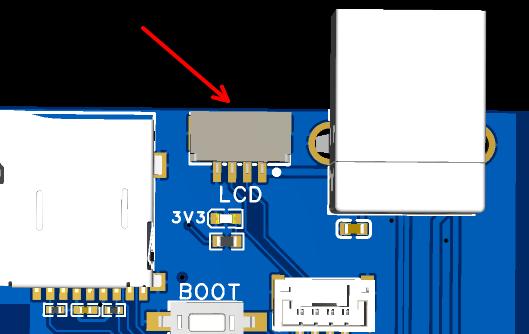
1. Hold down the BOOT button on the main board, then plug and unplug the USB cable once.
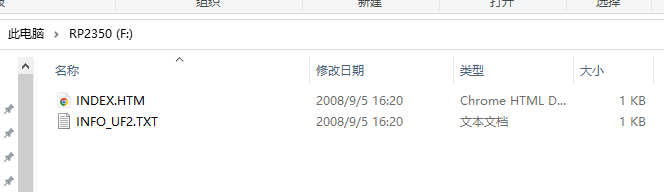
2. The control board will enumerate as a USB mass storage device named RP2350.
3. Copy and paste the firmware file into the drive to complete the flashing process.